You've written a children's story. The words are there - humor, heart, a protagonist kids will love. Then you hit the wall that stops more indie children's book authors than anything else: the illustrations.
If you can't draw - and we mean can't draw, not "haven't practiced" - the options have historically been brutal:
- Learn to draw (years of study, and still no guarantee your style matches your story)
- Hire an illustrator ($2,000 to $10,000 for a 32-page picture book - illustration is the single largest line item in children's publishing)
- Assemble clip art in Canva (works, but produces a generic look that lacks the visual magic a children's book needs)
For a self-publishing author on a budget - maybe a first-timer testing an idea on KDP, a parent making a book for their child, a teacher creating a classroom story - that wall has been absolute. Until now.
Things have changed. Illustrations made easy for indie authors is no longer a fantasy. Generative AI has compressed illustration costs from thousands of dollars to under $10 per book in tool subscriptions - and a growing set of purpose-built platforms means you don't need to become a digital artist overnight. This guide walks through what's actually possible today, the problems that still bite, and how to move from manuscript to illustrated book without drawing a single line.
"I Can't Draw, So I Can't Illustrate" - Why That's No Longer True
Let's start with the psychological barrier, because it's real and it's huge. On Reddit's r/selfpublish, an author with two written children's books but zero sales on their second self-published title wrote: "I can't even draw good stick figures." They were afraid to spend money on an illustrator that might flop - a completely rational fear when you're funding this yourself.
Across forums, YouTube, and Facebook groups, the same story repeats: someone wrote a children's story, then froze at the illustration step. The advice they get is frustratingly unhelpful - "learn to draw" (Drawing on the Left Side of the Brain, How to Draw Anything) or "hire a professional." Both are valid paths, but neither is the DIY, budget-conscious path this persona is searching for.
Here's the practical reality in 2026: you do not need to draw to illustrate a children's book. What you need is a workflow.
The Workflow, Step by Step
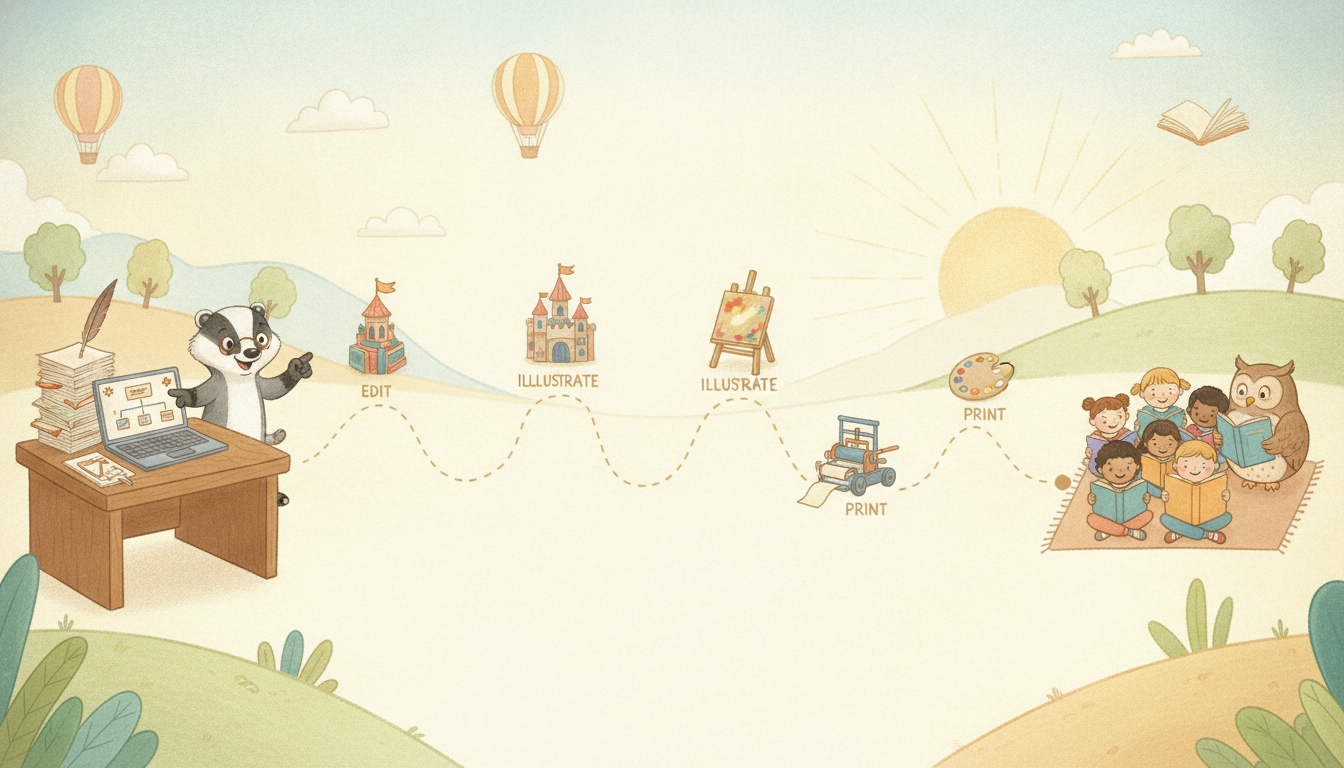
The basic pipeline looks like this:
- Write or import your manuscript. You already have the story. If it's in Word or Google Docs, many platforms let you upload it directly - no re-typing, no copy-paste into a new tool. Your text is the anchor; everything else builds around it.
- Describe your first scene in plain language. Not a prompt-engineering exercise - just telling the tool what's happening on the page. "A small bear wearing a blue backpack stands at the edge of a forest, looking nervous but curious." The AI reads that and produces an illustration. No drawing, no sketch, no art degree.
- Refine, don't redraw. If the bear's backpack is the wrong shade of blue, or the forest looks too dark, you adjust - via sliders for hue, saturation, and brightness, or brush and erase tools that let you fix specific elements without starting over. This is the important difference between "AI generated and accepted as-is" and "AI generated, then curated and adjusted by a human." The latter produces work that looks intentional. The former is where the "creepy" and "soulless" complaints come from.
- Repeat for every page, keeping your character consistent. This is where most authors hit the next wall - and we'll get to it in a moment.
- Layout and export. Arrange your pages, check text and image alignment, and export a print-ready PDF for KDP or a shareable link for online reading. Some platforms handle this in the same tool. Others require a separate layout step.
The cost? At the low end, a free tier or a $5/month subscription. At the high end, a premium stack running $50–70/month. Compare that to $2,000–$10,000 for a professional illustrator, and the economics make the decision obvious for authors who are testing an idea, publishing a gift book, or building a portfolio of titles on KDP.
The real comparison isn't AI vs. illustrator. It's: do you want to spend $2,000+ and wait months for a single book, or spend $5/month and produce a complete illustrated book in days or weeks? For authors testing the market, building a series, or making a gift book, the answer is increasingly clear.
Get started with FableKit - import your manuscript and generate your first illustration for free.
The Character Consistency Problem - and Why It Matters More Than You Think
Here's the single hardest technical problem in AI children's book illustration, and it's the one Reddit discussions identify over and over: character consistency.
An author on r/KDP asked specifically about this: "The Characters are NOT consistent. The clothing and the style keeps changing!" Another Redditor was blunt: "AI art sucks and you'll find it's next to impossible to achieve consistency across multiple images. And good luck with those hands."
They're not wrong. When you generate images one at a time using a general-purpose AI image generator, each generation is independent. The character's hair color, eye shape, clothing, and even species can drift from page to page. The result: a book where the protagonist looks like a different character on every spread. Children notice this immediately - kids are visually astute readers, and inconsistent characters break immersion.
General-purpose tools have partial solutions. Midjourney offers reference image features (often called character reference or style reference) that help anchor a look, but they still require trial and error, reference sheets, seed locking, and manual inpainting to fix errors. Leonardo AI has a dedicated Consistent Character workflow that helps but doesn't eliminate anatomy, costume, pose, or expression errors. ChatGPT has no dedicated character-locking workflow at all. The consensus across reviews in 2026 is consistent: character consistency remains a manual, fragile process in general-purpose tools.
What Changes When Consistency Is Built In
Purpose-built children's book platforms solve this by design. The approach varies, but the core idea is the same: define your character once - appearance, key features, palette - and every subsequent generation references that definition. Changes in pose, expression, and background don't reset the character's identity.
This is more than a technical nicety. It's what separates a book that looks professionally illustrated from one that looks like a stack of unrelated AI images. When a child opens your book, the character on page 3 should look like the same character from page 1. That continuity is what makes a children's book feel coherent - and what makes readers (and parents) trust the quality.
Tool Sprawl: Why One Platform Changes the Math
Here's the structural fact that every 2026 review agrees on: no single AI tool produces a finished, illustrated children's book end-to-end - with consistent character art, age-calibrated story text, and KDP-ready export - in one place. The strongest workflow splits the work across 2–3 specialists:
- A writing tool for the manuscript (ChatGPT, Claude, DeepSeek, or similar)
- An image generator for illustrations (Midjourney, Leonardo, Qwen Image, or similar)
- A layout tool for page assembly and KDP export (Canva, InDesign, Affinity Publisher)
Each tool has its own learning curve, pricing, and export format. For a non-artist author who just wants to make a book, learning three tools is a real barrier. It's not just the time - it's the mental overhead of context-switching between tools, figuring out which export format goes where, and making sure your character doesn't drift when you move from one tool to another.
Canva gets recommended constantly in this space - it has KDP-specific book templates, drag-and-drop layout, PDF export, and the easiest learning curve of any tool in the stack. But Canva is a layout tool, not an illustration engine. Its AI image generation is fine for spot illustrations but trails dedicated generators for hero art, and it has no character consistency feature. The johnfox.com guide puts it plainly: tools that make "anyone feel like an artist" often "lead to generic, uninspiring images that lack the soul and magic your story needs."
The budget-conscious author ends up choosing between:
- A free stack ($0): DeepSeek for the story, Qwen Image 3.0 for illustrations (free quota), Canva Free for layout. Character consistency scores around 5.5/10 in benchmarks - manual reference workflow costs time, not money.
- A budget stack (~$25–33/month): a writing tool + a purpose-built illustration platform like ReadKidz or Neolemon + Canva Pro for layout. Still three tools to learn and switch between.
- A premium stack (~$50–70/month): Claude or GPT-5 for the story, Midjourney V8 for illustrations, Canva Pro for layout. Maximum quality, maximum tool juggling.
Into this gap steps a different model: one platform that handles the full pipeline. Manuscript import, character design, AI illustration generation, storyboard layout, style templates, and KDP-ready PDF export - in a single tool. No switching apps, no format translation, no character drift between tools. For an author who wants to go from a Word document to a print-ready children's book without becoming a power user across three separate platforms, that consolidation is the practical value proposition.
Explore the full FableKit pipeline - write, illustrate, storyboard, and export in one place.
How to Pick an Illustration Style - A Guide for Non-Artists
One of the most common questions from non-artist authors is deceptively simple: "What style should my book use?"
Most advice dumps a list of keywords - watercolor, flat vector, storybook painterly, cartoon, digital ink - without explaining why a particular style matters for a particular story or age group. The result: authors either pick the default (which often reads as generic) or spend hours experimenting with prompt keywords they don't fully understand.
Here's a practical framework, grounded in what actually works for different readers.
By Age Group
| Age Range | Recommended Styles | Why |
|---|---|---|
| Ages 0–3 (board books, concept books) | Simple shapes, bold colors, flat vector / digital ink, high contrast | Babies and toddlers process simple, bold visuals. Complex detail is lost on this age group. High contrast aids visual development. |
| Ages 3–5 (picture books, read-aloud) | Colorful 2D cartoons, watercolor, pastel | Kids this age engage with expressive characters and warm colors. Watercolor is particularly forgiving for consistency issues - soft edges hide minor variations between pages. |
| Ages 5–8 (early readers, longer picture books) | Storybook painterly, detailed 2D, comic book | Kids this age appreciate more visual complexity, detailed backgrounds, and dynamic compositions. Storybook painterly feels classic and trustworthy. |
| Ages 8+ (chapter books with illustrations, graphic novels) | Comic/manga style, detailed 2D, semi-realistic, graphically bold | Older readers expect more sophisticated visuals. Comic style works well for action and humor. Avoid babyish styles that feel patronizing. |
By Story Tone
- Warm, comforting, bedtime story → Watercolor or pastel. Soft edges, warm palette, dreamy feel - the style matches the emotional tone.
- Playful, silly, humorous → Cartoon, digital ink, comic book. Bold outlines, exaggerated features, bright colors - matches energetic, funny stories.
- Adventurous, epic, magical → Storybook painterly, detailed 2D. Rich backgrounds, atmospheric lighting, classic illustration feel - conveys wonder and scale.
- Educational, informational → Flat vector, digital ink, clean illustration. Clear visuals, uncluttered composition, easy to read - supports learning and comprehension.
The Beginner's Rule of Thumb
Start with watercolor or digital ink. Watercolor is forgiving of minor AI inconsistencies - soft edges hide variations between pages - and reads as intentional and classic. Digital ink is clean, modern, and easy to control with brush and erase tools. Both are available as one-click presets on platforms that offer style menus.
Approach photorealism with caution. Photorealistic AI images of children raise ethical concerns, can trigger the "uncanny valley" creepy response, and are harder to keep consistent across pages. If you want richness without the realism problems, storybook painterly or detailed 2D gives you a similar level of visual depth without the pitfalls. The ropewalk.ai guide specifically warns: "photorealistic AI images of children raise ethical concerns you don't want to deal with."
The practical workflow: generate the same scene in two or three styles and compare. Which one feels right for your story? That's your answer - not a prompt keyword you found on a forum, but a visual decision you can see.
AEO: Questions Authors Are Actually Asking
"Can I illustrate my children's book with AI if I can't draw at all?"
Yes. You describe each scene in plain language - what's happening, who's in it, what the mood is - and the AI generates an illustration from that description. No drawing, no sketching, no art training required. You then refine the output using brush, erase, and color adjustment tools, which means you're curating and modifying the result, not just accepting raw AI output. That distinction matters for both quality and copyright, which we'll cover next.
"How much does it cost to illustrate a children's book with AI vs. hiring an illustrator?"
A professionally illustrated 32-page picture book costs $2,000 to $10,000 when hiring a professional illustrator (sources: scholars.direct, authorscraft.com, columbiapublication.com, dupple.com). With AI tools, the same book can be produced for $0.50 to $1 in tool costs (ai-tools-compared.com), or $0–$7/month in platform subscriptions depending on which tool you use. The free tier of some purpose-built platforms means you can produce a complete book at effectively zero cost. The trade-off is time and learning curve versus cash - and the quality ceiling, which we address honestly below.
"Will AI illustrations look creepy or soulless?"
They can - if you accept raw AI output without refinement and if you use a photorealistic style. The "creepy" complaints on Reddit and in children's book communities are real: unsettling faces, wrong hands, extra limbs, uncanny valley effects.
The fix is twofold. First, choose an intentional illustration style - watercolor, pastel, digital ink, comic book - rather than a photorealistic attempt that triggers the uncanny valley. Second, use brush and erase tools to fix artifacts and refine the output. When you treat AI as a starting point and add human modification and curation, the result reads as intentional art, not generic AI output. The ropewalk.ai guide and multiple Reddit threads confirm: style choice and human refinement are the difference between "creepy AI" and "a book that looks like it was illustrated."
FAQ
Q: Do I need to know how to draw to use AI illustration tools?
A: No. AI illustration tools generate images from text descriptions. You tell the tool what scene you want - characters, setting, mood - and it produces an illustration. You can then refine it using sliders and brush tools. Drawing ability is not required at any step. The johnfox.com guide states it directly: "You DO NOT need to draw if you want to write a children's book."
Q: Can I copyright a children's book with AI illustrations?
A: It depends on how much human modification and curation went into the final images. The U.S. Copyright Office says "prompting alone is not enough for copyright protection; sufficient human-authored expression, arrangement, or modification must be present." If you generate an image and accept it as-is, you likely cannot claim copyright on that image. If you use brush and erase tools to modify it, adjust colors and composition, and curate the final result, you're creating human-authored expression that strengthens a copyright claim. For full protection, many authors use AI to build a visual brief - character designs, scene concepts, style direction - then hire a professional illustrator to create the final art, which is unambiguously copyrightable.
Q: Will readers boycott my book if I use AI illustrations?
A: Some will, and you should be honest about it. Anti-AI sentiment in children's book communities is real and vocal - Reddit threads are full of authors reporting being "blacklisted" by readers who "REALLY care" about AI art. But the audience for AI-illustrated books is also real: parents making personalized gifts, educators creating classroom materials, indie authors testing ideas on KDP, and readers who simply want a good story with decent illustrations at a fair price. The key is positioning. If you're transparent about your process, price your book appropriately, and produce work that looks intentional rather than generic, you'll find your readers. A 2025 Reddit thread featured an author who published 5 children's books using AI illustrations (DALL-E/Midjourney) and sold 60+ copies locally - proof that the market exists. Do not pretend the stigma isn't there, but don't let it paralyze you either.
Q: Do I have to disclose AI use on Amazon KDP?
A: Yes. Amazon KDP requires disclosure of AI-generated content. You'll indicate whether your AI use is for "AI-generated" (the tool creates the content) or "AI-assisted" (you used AI tools but created the final content yourself). Be accurate about which category your book falls into - the distinction matters, and KDP's policies are clear on it.
Q: What's the best AI tool for children's book illustration in 2026?
A: There is no single "best" tool because no tool does everything. The right tool depends on what you value most. If you want the highest raw artistic quality and are willing to juggle multiple tools, Midjourney V8 produces editorial-quality illustrations but has no writing, layout, or KDP export - you'll need at least two other tools. If you want character consistency without manual prompt engineering, purpose-built platforms like Neolemon, ReadKidz, or Kibbi build it in, though these platforms are fragmented and mostly geared toward personalized gift books rather than indie KDP publishing, so most authors don't discover them through a normal search. If you want the simplest all-in-one path from manuscript to print-ready PDF, platforms that handle the full pipeline - like FableKit - eliminate the tool-switching overhead. The budget stack, premium stack, and free stack each make sense for different authors. The most important decision is: what problem are you solving, and which tool solves it with the least friction for your specific situation?
The Bottom Line
Illustrations made easy for indie authors isn't about replacing artists. It's about removing the gatekeeper that has kept written-but-unillustrated children's books from ever seeing the light of day.
The old equation was: can't draw + can't afford an illustrator = no book. That equation is broken. Today, a non-artist author can import a manuscript, describe scenes in plain language, generate and refine illustrations in a chosen style, keep characters consistent across pages, lay out the book, and export a KDP-ready PDF - all without drawing a single line and at a fraction of the traditional cost.
The challenges that remain are real: character consistency still requires the right tool (not all tools solve it), style choice matters more than you might think, and the stigma around AI illustrations is something you should understand and navigate honestly rather than ignore. But the path from story to illustrated book is more open than it has ever been.
If you've been sitting on a children's story because you couldn't figure out the illustration piece - this is your sign to start. The tools exist. The workflow is clearer than it was even a year ago. And the cost of finding out whether your story resonates is lower than it's ever been.
Import your manuscript and see your story become an illustrated book - start free on FableKit.